RecoverXData
Aktuell sind keine Angebote verfügbar. Teste den kostenlosen Tarif oder besuche die offizielle Website.
Aktuell sind keine Gutscheine oder
Angebote verfügbar.
Teste den kostenlosen Tarif oder prüfe die offizielle Website auf aktuelle Preise und Angebote.
Offizielle Website besuchen- 1
 EaseUS Data Recovery Wizard Professional50% Off
 - 2
 Tenorshare 4DDiG30% Off
 - 3
 DMDE Data Recovery15% Off
 - 4
 EaseUS Fixo75% Off
 - 5
 UFS Explorer Standard Recovery15% Off
 - 6
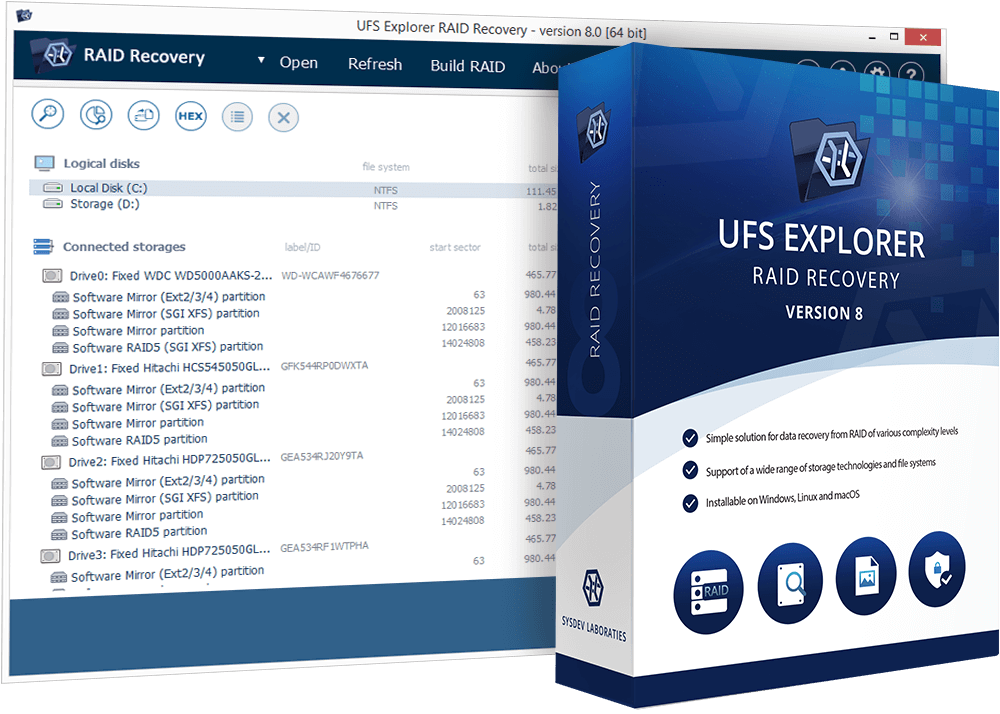 UFS Explorer RAID Recovery15% Off
 - 7
 4DDiG File Repair30% Off
 - 8
 Wondershare Dr.Fone29% Off
 - 9
 EaseUS Data Recovery Wizard for Mac50% Off
 - 10
 DiskGenius20% Off
Stellen Sie verlorene oder gelöschte Dateien auf einer Vielzahl von Mediengeräten wieder her.
Versehentlich gelöschte Daten? Hier ist die beste und effektivste Lösung.RecoverXData ist eine professionelle Datenwiederherstellungssoftware für Windows-Computer. Es wurde entwickelt, um verlorene Daten von einer Computerfestplatte, dem Papierkorb, verlorenen Partitionen, einem externen Laufwerk, SD-Karten, Flash-Laufwerken und vielem mehr wiederherzustellen. Egal, ob die Dateien gelöscht, im Papierkorb geleert oder auf einer verlorenen Partition verschwunden sind, mit RecoverXData können Sie sie problemlos scannen und wiederherstellen.
Die wichtigsten Funktionen
1. Einfache und unkomplizierte GUI für alle
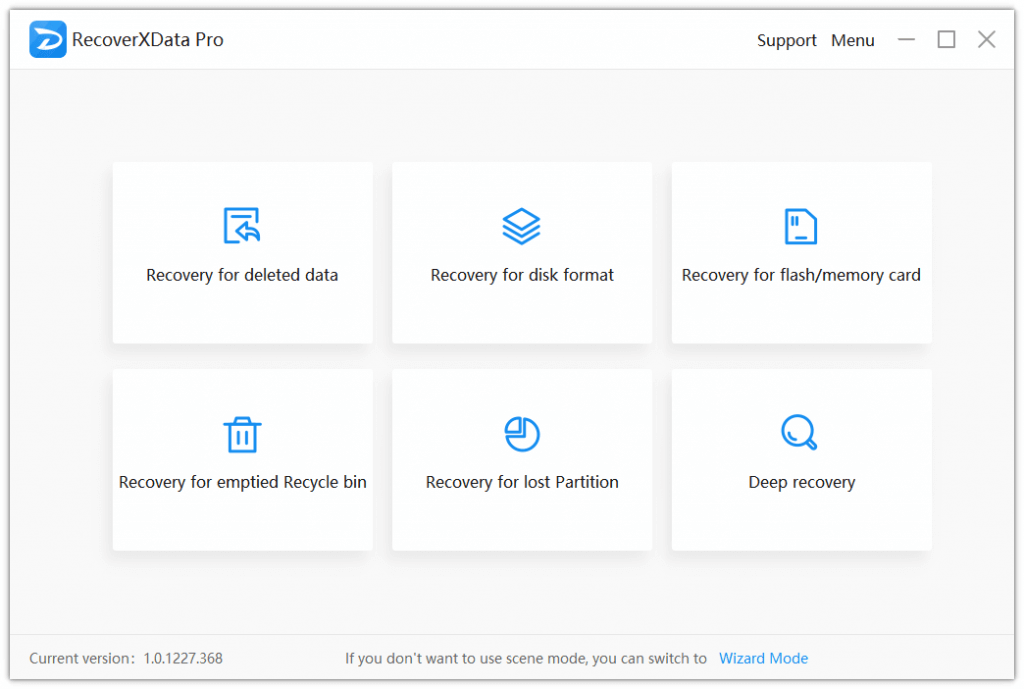
Sie müssen kein Computerfreak sein, wenn Sie den Standard-Szenenmodus oder den intuitiven Assistentenmodus verwenden. Mit nur wenigen Klicks und Wartezeit können Sie die verlorenen Daten wiederherstellen. Zu den unterstützten Szenen gehören:
- Wiederherstellung gelöschter Daten.
- Wiederherstellung für das Festplattenformat.
- Wiederherstellung für Flash-/Speicherkarte.
- Wiederherstellung des geleerten Papierkorbs.
- Wiederherstellung einer verlorenen Partition.
- Tiefe Erholung.
2. Unterstützt die Wiederherstellung aller gängigen Dateitypen auf PCs und Wechseldatenträgern.
Es stellt fast alle Arten von Dateien aller Marken und Speichermedien wieder her, die an einen PC angeschlossen sind (außer CD/DVD/VCD). Zum Beispiel Dateitypen wie PDF, DOC, DOCX, PPTX, PPT, LOG, JPG, PNG, MP4, MP3, MOV usw. und Speichermedienmarken wie Sandisk, Seagate, Western Digital, Toshiba, Hitachi und mehr.
3. Einfaches Anvisieren der verlorenen Daten.
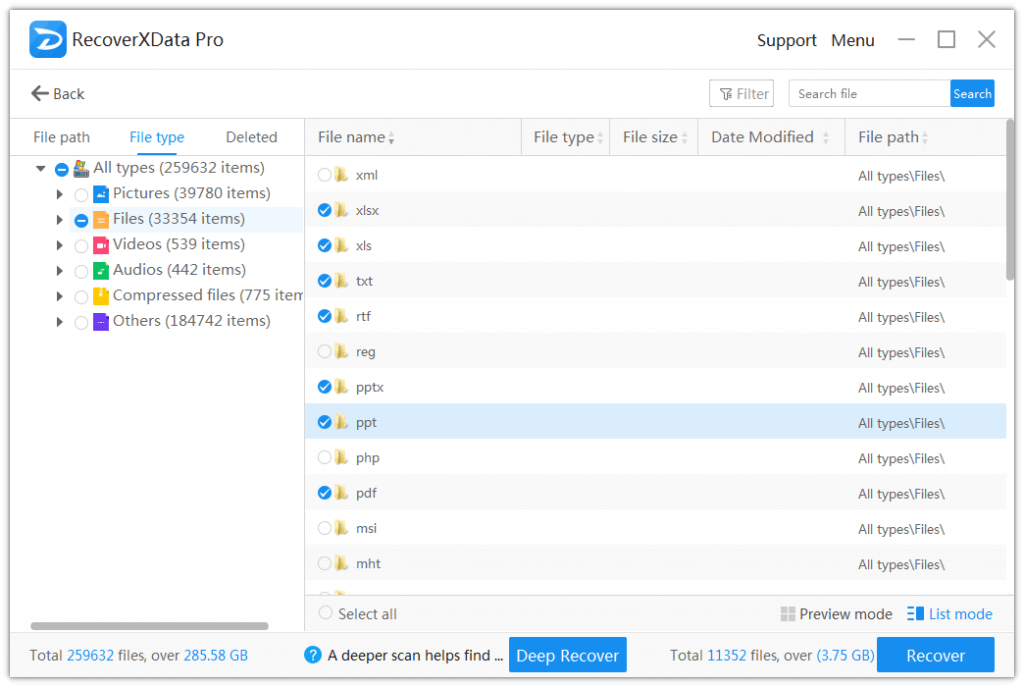
Nach dem Scannen können Sie die verlorenen Daten leicht ins Visier nehmen, indem Sie den Dateipfad, den Dateityp und die gelöschten Dateien filtern. Sie können auch nach Dateinamen suchen. Und für Bilder und Dokumentdateien können Sie eine Vorschau der Dateien unter 30 MB anzeigen.
4. 100% sicher und keine Beschädigung oder Veränderung der Originaldaten
__RESNAME_◄ liest nur die Laufwerke und Daten und schreibt nicht auf das ursprüngliche Laufwerk, sodass die Daten in einem sicheren Modus bleiben.
5. Schnell und vertrauensvoll
Indem Sie eine Szene und einen Ort auswählen, können Sie wählen, ob Sie einen Schnellscan oder einen Tiefenscan starten möchten. Der Schnellscan kann dabei helfen, die Festplatte schneller nach verlorenen Daten zu durchsuchen, während der Tiefenscan die Daten detailliert analysiert, um weitere Daten zu finden. Beide sind vertrauensvoll und effektiv.
Nutzerbewertungen
5.0
3 stimmen
Kommentare (2)
- Toller Service hat super funktioniert und sehr guter TextsupportAuf diesen Beitrag antworten
- WOWAuf diesen Beitrag antworten
Kundenfragen und -antworten
- ❓ Gab es bei RecoverXData Rabatte während des Black Friday/Cyber Monday?
- Für RecoverXData gab es während des Black Friday/Cyber Monday 2025 keine zusätzlichen Rabatte.
🕵️♀️ ColorMango überwacht regelmäßig die Angebote von RecoverXData während des Black Friday/Cyber Monday und aktualisiert die neuesten Rabatte, sobald sie verfügbar sind.
